
How can we help you?

A reliable web hosting service is one of the most important investments a small business can make — yet it’s also one of the most overlooked. Many business owners focus on design, branding, or marketing, but forget that none of those things matter if the website is slow, insecure, or constantly experiencing downtime. Your hosting is the foundation that powers website speed optimization, secure web hosting, and the overall performance that keeps your website running smoothly, your customers happy, and your business growing.
If you’ve ever wondered why some websites feel fast, trustworthy, and professional while others feel slow, unreliable, or outdated, the answer almost always comes down to hosting quality. Fast web hosting, strong uptime, and SEO‑friendly hosting all play a major role in how customers — and search engines — perceive your business. In this guide, you’ll discover 11 powerful reasons reliable hosting fuels happy small businesses, and why choosing the right hosting provider can make a dramatic difference in your online success.
1. How Reliable Hosting for Small Businesses Improves Website Speed
Speed is one of the biggest factors that determines whether a visitor stays on your website or leaves. Studies show that if a page takes more than a few seconds to load, people abandon it and move on to a competitor. For small businesses, every second counts.
But what many business owners don’t realize is that website speed is determined primarily by your hosting — not your design, plugins, or content. Even the most beautifully designed website will feel slow and unresponsive if the hosting server is overloaded, outdated, or poorly optimized.
Reliable hosting for small business websites provides the technical foundation needed for fast performance, including:
- Modern server hardware that processes requests faster
- Optimized PHP versions that improve WordPress performance
- LiteSpeed or NGINX technology that handles traffic more efficiently
- Built‑in caching that reduces load times dramatically
- SSD storage for faster file access
- Better resource allocation so your site isn’t competing with hundreds of others
When your hosting is optimized, your website loads quickly even during busy hours — which is essential for keeping customers engaged.
Reliable hosting ensures:
- Fast server response times
- Optimized performance for WordPress and modern websites
- Smooth loading on mobile devices
- Better user experience overall
Google also uses page speed as a ranking factor, meaning faster websites have a better chance of appearing higher in search results. You can test your site anytime using tools like Google Page Speed Insights, which highlights performance opportunities and improvements.
If you want to improve your speed even further, explore your hosting options here:
2. Why Reliable Hosting for Small Business Protects Your Uptime
Uptime refers to how often your website is available and functioning. If your site goes down, customers can’t reach you, search engines can’t crawl you, and sales stop instantly. Reliable hosting for small business websites ensures your site stays online consistently, even during busy periods or unexpected traffic spikes.
But uptime isn’t just about avoiding outages — it’s about protecting your reputation. When a customer tries to visit your website and sees an error message, they often assume the business is unprofessional, unreliable, or even closed. Most won’t come back for a second try. That’s why uptime is one of the most important indicators of hosting quality.
What Causes Downtime (and How Reliable Hosting Prevents It)
Cheap or overcrowded hosting often leads to downtime because:
- Too many websites share the same server
- The server hardware is outdated
- There’s no redundancy or failover system
- Traffic spikes overwhelm the server
- Security breaches force temporary shutdowns
- Maintenance is poorly managed
Reliable hosting for small business websites solves these issues with:
- Modern, high‑performance servers
- Load balancing to distribute traffic
- Redundant systems that keep your site online even if one component fails
- Proactive monitoring that detects issues before they cause downtime
- Better resource allocation so your site isn’t competing with hundreds of others
This means your website stays online when it matters most — during promotions, holidays, and peak business hours.
Why Uptime Matters for SEO and Customer Trust
Google crawls your website regularly. If your site is down when Google visits, it can:
- Hurt your rankings
- Slow down indexing
- Reduce your visibility
- Signal instability
Customers also judge your business based on reliability. A website that’s frequently offline sends the message that the business may not be dependable.
Reliable hosting for small business websites ensures:
- Customers can reach you anytime
- Your online forms always work
- Your store stays open 24/7
- Google sees your site as stable and trustworthy
How Much Downtime Really Costs Small Businesses
Even a few minutes of downtime can have a real financial impact. Consider:
- Lost sales
- Missed leads
- Interrupted bookings
- Damaged reputation
- Customer frustration
- Lower search rankings
For example, if your website generates just $100 per day, even 1% downtime could cost you $365 per year — and that’s a conservative estimate. For many small businesses, the losses are much higher.
Reliable hosting for small business websites reduces these risks dramatically, ensuring your website is always open for business.
How to Check Your Current Uptime
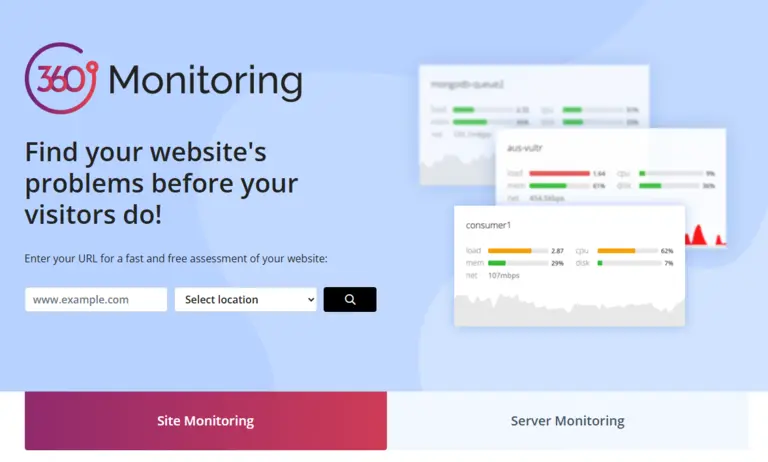
If you’re curious about your current uptime, tools like Pingdom and 360monitoring help you monitor your site’s availability.
These tools show:
- Uptime percentage
- Outage history
- Response times
- Performance trends
This data helps you understand whether your current hosting is supporting your business — or holding it back.

3. Strong Security Protects Your Business and Customers
Security is one of the most important — and most underestimated — reasons to choose reliable hosting for small business websites. Cyberattacks are increasing every year, and small businesses are often targeted because hackers assume they have weaker protection. A single breach can damage your reputation, expose customer data, and cost thousands of dollars to fix.
Reliable hosting dramatically reduces these risks by providing a strong security foundation that protects your website around the clock.
Why Small Businesses Are Targeted More Than Ever
Many small business owners believe they’re “too small” to be attacked, but the opposite is true. Hackers often automate attacks, scanning the internet for vulnerable websites. They don’t care about the size of your business — they care about easy entry points.
Common threats include:
- Malware injections
- Brute‑force login attempts
- SQL injections
- DDoS attacks
- Spam bots
- Ransomware
- Phishing redirects
Reliable hosting for small business websites includes built‑in defenses that block these threats before they reach your site.
Security Features You Get with Reliable Hosting
High‑quality hosting providers invest heavily in security infrastructure.
This includes:
- Firewalls that block suspicious traffic
- Malware scanning to detect harmful files
- DDoS protection to prevent overload attacks
- Automatic updates for server software
- Secure file permissions
- Isolated environments that prevent cross‑site contamination
- Advanced SSL certificates to encrypt customer data
These protections work silently in the background, keeping your website safe without requiring technical knowledge.
The Importance of SSL for Trust and SEO
SSL (Secure Sockets Layer) is no longer optional. Google labels non‑SSL websites as “Not Secure,” which instantly scares visitors away.
SSL:
- Encrypts customer information
- Protects login details
- Improves SEO
- Builds trust
- Prevents data theft
Google even uses HTTPS as a ranking factor, as explained in their documentation:
Reliable hosting for small business websites makes SSL installation simple and automatic.
How Security Affects Your Reputation
Customers expect your website to be safe. If they encounter warnings, redirects, or suspicious behavior, they lose trust immediately.
Even one security incident can:
- Damage your brand
- Reduce conversions
- Increase refund requests
- Trigger negative reviews
- Push customers to competitors
Reliable hosting protects your reputation by preventing these issues before they happen.
Backups: Your Last Line of Defense
Even with strong security, mistakes and unexpected issues can still occur. That’s why reliable hosting includes automatic backups that allow you to restore your website quickly.
Backups protect you from:
- Human error
- Plugin conflicts
- Malware infections
- Accidental deletions
- Website crashes
For deeper protection, many small businesses use tools like CodeGuard or similar backup services. These tools provide daily backups, one‑click restores, and version history — essential for long‑term stability.
Why Security Matters for SEO
Google wants to protect its users. If your website is infected, slow, or unsafe, Google may:
- Lower your rankings
- Remove your pages from search results
- Display security warnings
- Reduce your visibility
Reliable hosting for small business websites ensures your site stays clean, safe, and trusted by search engines.
Trusted Security Resources You Can Reference
If you want to learn more about website security, these are excellent, authoritative sources:
These resources help you understand the importance of strong hosting security — even if you’re not technical.
You can enhance your security even further with trusted add‑ons:
- Advanced SSL Certificates (We provide Let’s Encrypt Free)
- SiteLock Security
- CodeGuard Backups
- 360 Monitoring
Security isn’t optional — it’s essential for protecting your business and building customer trust.

4. How Reliable Hosting for Small Business Boosts Google Rankings
Search engine optimization (SEO) isn’t just about keywords, backlinks, or content quality — it’s also heavily influenced by your website’s technical performance. And the foundation of that performance is your hosting. When you choose reliable hosting for small business websites, you’re giving Google exactly what it wants: fast, stable, secure, user‑friendly pages.
Why Google Cares About Your Hosting Quality
Google’s mission is simple: Deliver the best possible experience to users.
That means Google prefers websites that:
- Load quickly
- Stay online consistently
- Are secure and trustworthy
- Work well on mobile
- Provide a smooth browsing experience
All of these factors are directly tied to your hosting provider.
If your hosting is slow, unstable, or insecure, Google sees your website as a lower‑quality result — even if your content is excellent.
Core Web Vitals: Hosting Plays a Major Role
Google’s Core Web Vitals measure real‑world user experience.
They include:
- Largest Contentful Paint (LCP) – how fast your main content loads
- First Input Delay (FID) – how quickly your site responds to clicks
- Cumulative Layout Shift (CLS) – how stable your layout is
Reliable hosting improves LCP and FID dramatically because:
- Faster servers deliver content quicker
- Better caching reduces load times
- Optimized PHP versions improve WordPress performance
- High‑quality infrastructure reduces delays
When your hosting is slow, your Core Web Vitals suffer — and so do your rankings.
Uptime and SEO: A Hidden Ranking Factor
Google crawls your website regularly. If your site is down when Google visits, it can:
- Fail to index new content
- Remove pages from search results
- Lower your rankings
- Reduce your visibility
Reliable hosting for small business websites ensures your site is available when Google needs to crawl it. This stability signals to Google that your website is trustworthy and well‑maintained.

Security and SEO Go Hand in Hand
Google prioritizes secure websites.
If your site is hacked, infected, or flagged as unsafe, Google may:
- Display security warnings
- Drop your rankings
- Block your pages
- Remove your site from search results entirely
Reliable hosting includes:
- Malware scanning
- Firewalls
- DDoS protection
- Automatic updates
- SSL support
These protections help keep your website clean and safe — which keeps Google happy.
Mobile SEO Depends on Hosting Too
More than half of all web traffic comes from mobile devices. Google uses mobile‑first indexing, meaning your mobile performance affects your entire ranking.
Reliable hosting improves mobile SEO by:
- Reducing load times
- Improving server response
- Supporting modern caching
- Ensuring stable performance on all devices
If your site loads slowly on mobile, Google will push it down in search results — even if your desktop version is fast.
Better Hosting = Better User Experience = Better Rankings
Google’s algorithm is designed to reward websites that provide a great user experience.
Reliable hosting improves:
- Speed
- Stability
- Security
- Mobile performance
- Engagement metrics
- Bounce rate
- Time on page
All of these factors influence your SEO.
Authority Reference: Google’s Page Experience Guidelines
Google explains how performance, security, and user experience affect rankings.
For a beginner‑friendly explanation of hosting and SEO, check out:
Website Hosting Guide for Beginners
5. Professional Email and Branding Look More Trustworthy
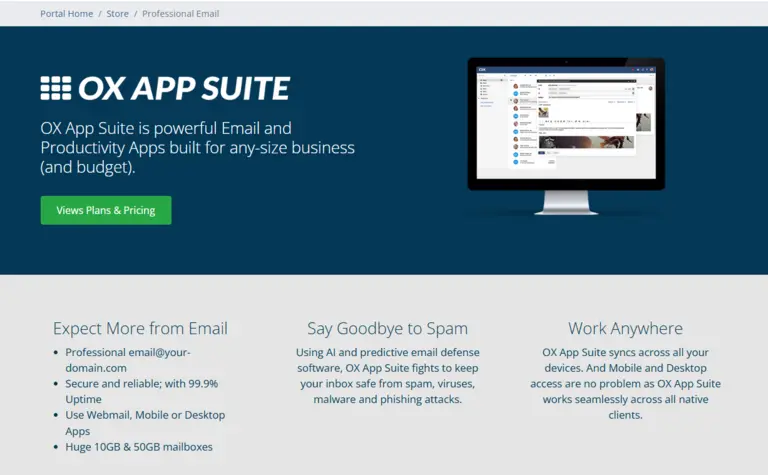
A professional online presence isn’t just about having a website — it’s about presenting your business as credible, trustworthy, and established. One of the simplest ways to do that is by using a domain‑based email address. When your hosting includes email services, you can create addresses like info@yourbusiness.com or support@yourbusiness.com, which immediately elevate your brand.
Reliable hosting for small business websites makes it easy to set up and manage professional email accounts without needing technical expertise. This small upgrade has a surprisingly big impact on how customers perceive your business.
Reliable hosting for small business websites makes it easy to set up and manage professional email accounts without needing technical expertise. This small upgrade has a surprisingly big impact on how customers perceive your business.
Why Free Email Addresses Hurt Your Professional Image
Many small businesses start out using free email services like Gmail, Yahoo, or Outlook. While these are fine for personal use, they can send the wrong message in a business context.
Customers may wonder:
- Is this business legitimate
- Is this a hobby or a real company
- Will my information be safe
- Why doesn’t this business have a branded email
A domain‑based email address instantly answers these questions by showing that your business is established and invested in its online presence.
Professional Email Improves Customer Trust and Conversions
Trust is one of the biggest factors in whether a customer chooses to contact you, request a quote, or make a purchase. A professional email address:
- Builds credibility
- Reinforces your brand
- Makes communication feel more secure
- Helps customers feel confident reaching out
- Reduces the chance of your emails being ignored
When customers trust your communication, they’re more likely to take action — whether that’s booking a service, asking a question, or completing a purchase.
Better Deliverability Means More Customers See Your Emails
Free email accounts often get flagged as spam when used for business communication. This means your messages may never reach your customers’ inboxes.
Reliable hosting for small business websites improves deliverability by:
- Authenticating your domain
- Reducing spam flags
- Supporting SPF, DKIM, and DMARC records
- Ensuring your emails look legitimate
- Helping your messages land in the inbox, not the spam folder
This is especially important if you send:
- Quotes
- Invoices
- Appointment confirmations
- Support replies
- Marketing emails
- Order updates
Better deliverability = more customers seeing your messages.
Brand Consistency Across Your Website and Email
Your website, logo, domain name, and email address should all work together to create a cohesive brand identity. When your email matches your domain, it reinforces your brand every time you communicate.
For example:
- Website: ez-hostpro.com
- Email: support@ez-hostpro.com
This consistency helps customers remember your brand and builds long‑term recognition.
Professional Email Helps with SEO and Local Search
While email itself isn’t a direct ranking factor, it influences several things that do affect SEO:
- Trust signals
- Brand authority
- Customer engagement
- Review requests
- Local business credibility
Google’s local search algorithm favors businesses that appear legitimate and well‑established. A domain‑based email contributes to that perception.
Professional Email Makes Your Business Look Bigger
Even if you’re a one‑person operation, a professional email address makes your business appear more established.
You can create multiple addresses such as:
- sales@yourbusiness.com
- billing@yourbusiness.com
- support@yourbusiness.com
- info@yourbusiness.com
This gives customers the impression of a well‑organized company with dedicated departments — even if everything goes to the same inbox.
Reliable Hosting Makes Email Setup Simple
One of the biggest advantages of reliable hosting for small business websites is that email setup is straightforward. You don’t need to be technical.
Most hosting providers offer:
- One‑click email creation
- Webmail access
- Mobile and desktop email setup guides
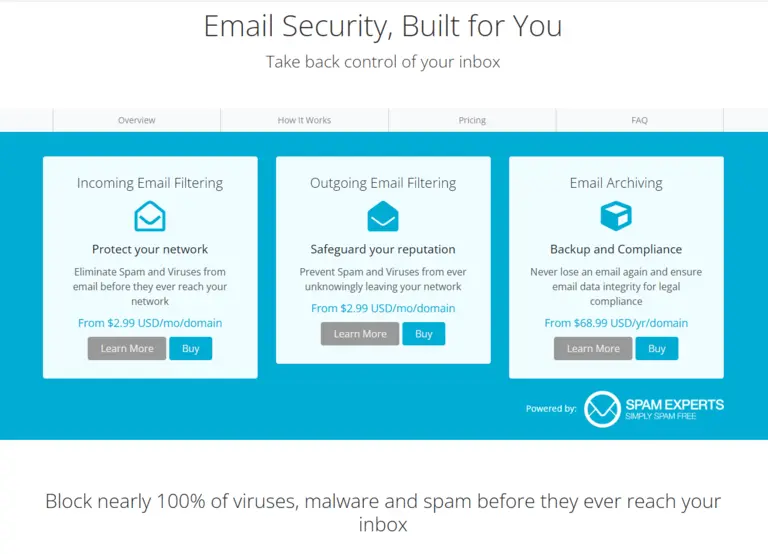
- Spam filtering
- Storage management
- Easy password resets
This makes it easy to manage your communication without stress.
When to Contact Support for Email Help
If you ever run into issues with email setup, deliverability, or configuration, reliable hosting providers offer support to help you:
- Connect your email to Outlook, Gmail, or Apple Mail
- Fix DNS or MX record issues
- Improve deliverability
- Troubleshoot login problems
- Set up forwarding or aliases
Need help or have questions? ???? Contact EZ Host Pro
6. Better Hosting Supports Page Builders and Modern Websites
Modern websites aren’t built the way they were 10 years ago. Today, small business owners rely on powerful tools like WordPress, Elementor, Divi, Beaver Builder, and other drag‑and‑drop page builders to create beautiful, professional websites without needing to write code. These tools make design easier — but they also require more server resources than traditional static sites.
That’s why choosing reliable hosting for small business websites is essential. Your hosting determines how smoothly your page builder runs, how quickly your edits save, and how fast your published pages load for visitors.
Why Page Builders Need More Power Than Standard Websites
Page builders generate dynamic content, animations, responsive layouts, and interactive elements.
All of this requires:
- More PHP memory
- Faster processing
- Better caching
- Updated PHP versions
- Stable database performance
- Optimized server configurations
If your hosting is slow or outdated, you’ll notice:
- Delays when editing pages
- Slow loading in the Elementor editor
- “Updating failed” or “Preview not available” errors
- Broken layouts
- Slow front‑end performance
- Plugin conflicts
Reliable hosting for small business websites eliminates these issues by providing the power and stability modern builders need.
How Reliable Hosting Improves Your Editing Experience
When your hosting is optimized, your page builder feels smooth and responsive.
You’ll experience:
- Faster page loads inside the editor
- Instant drag‑and‑drop responsiveness
- Quick save and update times
- Fewer crashes or timeout errors
- More stable preview rendering
This saves you hours of frustration — especially when you’re building long pages, landing pages, or Knowledge Base articles.
Why PHP Versions Matter for Page Builders
Most page builders rely heavily on PHP.
Using outdated PHP versions can cause:
- Slow performance
- Security vulnerabilities
- Plugin incompatibility
- Editor crashes
Reliable hosting ensures your site runs on the latest stable PHP versions, which improves:
- Speed
- Security
- Compatibility
- Overall performance
This is one of the easiest ways to boost your website’s efficiency.
Database Performance: The Hidden Factor Behind Page Builder Speed
Page builders store a lot of data in your WordPress database — layouts, revisions, templates, widgets, and more. If your hosting uses slow or overloaded database servers, you’ll feel it immediately.
Reliable hosting improves database performance through:
- Optimized MySQL/MariaDB configurations
- Faster query processing
- Better caching layers
- Reduced latency
- Isolated resources
This keeps your editor fast and your website stable.
How Hosting Affects Your Published Pages
Even if your editing experience feels fine, your visitors may still experience slow loading if your hosting isn’t optimized. Page builders generate complex HTML, CSS, and JavaScript, which require:
- Fast server response times
- Efficient caching
- Compression
- CDN support
- Optimized delivery
Reliable hosting for small business websites ensures your published pages load quickly, even if they’re visually rich or content‑heavy.
Why Page Builders + Cheap Hosting = Problems
Cheap hosting often leads to:
- Slow editing
- Broken previews
- Timeout errors
- Plugin conflicts
- Slow visitor experience
- Poor SEO performance
This is why so many small business owners think “Elementor is slow” — when the real issue is the hosting.
Reliable Hosting Makes Your Website Future‑Proof
As your business grows, you may want to add:
- Landing pages
- Sales funnels
- Booking systems
- Ecommerce features
- Membership areas
- Online courses
All of these require more server resources. Reliable hosting ensures your website can handle new features without slowing down or breaking.
Page Builders Are Only as Good as the Hosting Behind Them
Even the best page builder can’t overcome poor hosting. Reliable hosting for small business websites gives you:
- Speed
- Stability
- Compatibility
- Security
- Scalability
- Page Builders

7. Scalable Hosting Grows with Your Business
One of the biggest challenges small businesses face is outgrowing their hosting. What works when you’re just starting out often becomes too slow, too limited, or too unstable once your website begins attracting more visitors, more content, and more functionality. That’s why choosing reliable hosting for small business websites is so important — it gives you room to grow without needing to rebuild your entire online presence.
Scalability isn’t just about handling more traffic. It’s about supporting your long‑term goals, adapting to new features, and ensuring your website remains fast and stable as your business evolves.
Why Scalability Matters for Small Businesses
Most small businesses start with simple websites — a few pages, a contact form, maybe a blog. But as your business grows, your website needs to grow with it.
You may eventually want to add:
- Online booking
- Ecommerce functionality
- Membership areas
- Learning platforms
- Customer portals
- Lead generation funnels
- Landing pages for ads
- A larger blog or knowledge base
Each of these features requires more server resources. If your hosting can’t scale, your website will slow down or break as you expand.
Reliable hosting for small business websites ensures you can add new features without worrying about performance issues.
Traffic Growth: The Silent Website Killer
Many small business owners don’t realize how quickly traffic can increase. A single successful marketing campaign, social media post, or Google ranking improvement can double or triple your traffic overnight.
Cheap or limited hosting often collapses under sudden spikes, causing:
- Slow load times
- 500 errors
- Timeouts
- Complete outages
Reliable hosting prevents this by offering:
- More CPU and RAM
- Better resource allocation
- Load balancing
- Scalable infrastructure
- Higher bandwidth limits
This means your website stays online even when your business suddenly gets a surge of attention.
How Scalable Hosting Supports Ecommerce Growth
If you ever plan to sell products or services online, scalability becomes even more important.
Ecommerce websites require:
- Faster database performance
- More PHP memory
- Stronger security
- Stable uptime
- Smooth checkout experiences
As your store grows — more products, more customers, more orders — your hosting must grow with it.
Reliable hosting for small business ecommerce sites ensures:
- Faster product pages
- Smooth cart and checkout
- Stable performance during sales
- Better SEO for product listings
- Higher conversion rates
This is essential for long‑term success.
Why Upgrading Hosting Should Be Effortless
One of the biggest advantages of reliable hosting is that upgrading should be simple. You shouldn’t need to migrate your website, hire a developer, or rebuild anything.
A good hosting provider allows you to:
- Upgrade plans with one click
- Add more storage instantly
- Increase bandwidth
- Boost CPU and RAM
- Add security or performance add‑ons
This flexibility ensures your website never holds your business back.
Future‑Proofing Your Website
Technology changes quickly. New plugins, new features, and new performance standards appear every year.
Reliable hosting ensures your website stays compatible with:
- New WordPress versions
- Updated PHP versions
- Modern page builders
- Advanced caching systems
- Security enhancements
- Ecommerce integrations
This future‑proofing protects your investment and keeps your website running smoothly for years to come.
How Scalability Improves SEO and User Experience
When your hosting can scale, your website remains fast and stable even as you grow. This directly improves:
- Google rankings
- Bounce rates
- Time on page
- Conversion rates
- Customer satisfaction
Reliable hosting for small business websites ensures your performance doesn’t decline as your site becomes more successful.
Small Business Growth Should Never Break Your Website
Your website should support your growth — not limit it.
Scalable hosting ensures:
- You can add new features anytime
- Your traffic can increase without issues
- Your website stays fast and reliable
- You never have to rebuild from scratch
- Your business can grow confidently
This is one of the most important long‑term benefits of choosing reliable hosting.
Explore your upgrade options here:
8. Automatic Backups Protect You from mistakes
Even the most experienced website owners make mistakes. A plugin update breaks your layout, a file gets deleted, a theme conflict crashes your homepage, or malware sneaks in through an outdated extension. When something goes wrong, the difference between a minor inconvenience and a total disaster often comes down to one thing: backups.
Reliable hosting for small business websites includes automatic backups that run quietly in the background, capturing your website exactly as it is at regular intervals. This means you always have a clean, working version of your site ready to restore — no panic, no stress, no expensive emergency fixes.
Why Backups Are Essential for Every Small Business Website
Your website is one of your most valuable business assets.
It contains:
- Your content
- Your design
- Your customer inquiries
- Your product pages
- Your blog posts
- Your SEO structure
- Your forms and settings
Losing any of this can set your business back days, weeks, or even months.
Backups protect you from:
- Human error
- Plugin conflicts
- Theme issues
- Malware infections
- Server failures
- Accidental deletions
- Corrupted files
- Failed updates
Reliable hosting ensures you never lose your hard work.
Automatic Backups Save Time and Reduce Stress
Manual backups are time‑consuming and easy to forget. Automatic backups remove the burden entirely.
They run:
- Daily
- Weekly
- Or even hourly (depending on your plan)
This means you always have a recent version of your website available.
If something breaks, you simply click Restore, and your site is back to normal in minutes.
Why One‑Click Restore Is a Game‑Changer
When your website goes down, every minute counts. Visitors leave, sales stop, and your reputation takes a hit. With one‑click restore:
- You don’t need technical skills
- You don’t need a developer
- You don’t need to troubleshoot
- You don’t need to rebuild anything
You simply choose a backup version and restore it instantly.
Reliable hosting for small business websites makes this process effortless.
Backups Protect You From Plugin and Theme Updates
WordPress plugins and themes update frequently.
While updates usually improve security and performance, they can sometimes cause:
- Layout issues
- Broken pages
- White screens
- Fatal errors
- Missing content
With automatic backups, you can update confidently. If something goes wrong, you restore your site and try again later.
Backups Are Critical for Security Recovery
Even with strong security, no website is 100% immune to threats.
If malware ever does slip through, backups allow you to:
- Remove infected files
- Restore a clean version
- Avoid paying for expensive cleanup services
- Get your site back online quickly
This is one of the most important protections reliable hosting provides.
Why Database Backups Matter Just as Much
Your website has two parts:
- Files (themes, plugins, images)
- Database (content, settings, users, forms, orders)
If your database becomes corrupted, your entire site can break — even if your files are intact.
Reliable hosting includes database backups, ensuring your content and settings are always safe.
Off‑Site Backups Add an Extra Layer of Protection
Some hosting providers store backups on the same server as your website. This is better than nothing, but not ideal. If the server fails, you could lose both your site and your backups.
Reliable hosting for small business websites often includes off‑site backups, meaning your data is stored in a separate, secure location.
This protects you from:
- Server crashes
- Hardware failures
- Data center outages
Your backups remain safe no matter what happens.
Backup Tools Like CodeGuard Provide Even More Protection
If you want advanced backup features, tools like CodeGuard offer:
- Daily automated backups
- Malware detection
- File change monitoring
- Unlimited restores
- Version history
- Off‑site storage
This gives you enterprise‑level protection at a small business price.
Backups Give You Confidence to Experiment and Grow
When you know your website is fully backed up, you feel more comfortable:
- Installing new plugins
- Testing new layouts
- Updating themes
- Adding new features
- Making design changes
- Expanding your content
Reliable hosting for small business websites gives you the freedom to grow without fear of breaking anything.
For advanced backup protection, consider:

9. Reliable Hosting for Small Business Helps You Avoid Downtime Disasters
Downtime is one of the most expensive — and most preventable — problems a small business can face online. When your website goes offline, even for a few minutes, customers can’t reach you, sales stop, leads disappear, and your brand’s credibility takes a hit. Reliable hosting for small business websites protects you from these costly interruptions by keeping your site online, stable, and accessible around the clock.
A dependable hosting provider doesn’t just react to problems; it prevents them. With strong infrastructure, proactive monitoring, and built‑in redundancy, reliable hosting ensures your business stays open 24/7, even when unexpected issues arise.
Why Downtime Is So Dangerous for Small Businesses
Every minute your website is down can create real‑world consequences:
- Lost sales and abandoned carts
- Missed leads and contact form submissions
- Damaged trust and credibility
- Lower search rankings
- Frustrated customers who may never return
Large companies can absorb downtime. Small businesses often can’t. Reliable hosting for small business websites minimizes these risks by delivering consistent uptime and fast recovery if something goes wrong.
What Causes Website Downtime?
Downtime can happen for many reasons, especially on cheap or overcrowded hosting:
- Server overload
- Hardware failures
- Poorly maintained infrastructure
- Software conflicts
- Security breaches
- Traffic spikes
- Network outages
Reliable hosting for small business websites uses modern technology and proactive management to reduce these risks dramatically.
How Reliable Hosting Prevents Downtime
A high‑quality hosting provider invests in systems that keep your website online even when challenges arise.
This includes:
- Redundant hardware that automatically takes over if something fails
- Load balancing to distribute traffic evenly
- 24/7 server monitoring to catch issues before they escalate
- Automatic failover systems that reroute traffic instantly
- Isolated resources so other websites can’t affect your uptime
- Regular maintenance and updates to prevent unexpected outages
These protections work behind the scenes to ensure your website stays available when customers need you most.
Why Uptime Matters for SEO and Customer Trust
Google expects websites to be consistently available. Frequent downtime can:
- Reduce your search visibility
- Slow down crawling and indexing
- Signal instability to search engines
- Lower your overall ranking potential
Customers notice downtime too. If your site doesn’t load, they often assume your business is unreliable — even if the issue is temporary.
Reliable hosting for small business websites gives you the stability Google rewards and customers appreciate.
How to Check Your Website’s Uptime
If you want to see how your site is performing, uptime monitoring tools can show:
- Your uptime percentage
- Outage history
- Response times
- Alerts for future downtime
- Performance trends over time
This data helps you understand whether your hosting provider is supporting your business — or holding it back.
10. Expert Support Saves You Time and Stress
Running a small business already comes with enough challenges — your hosting shouldn’t be one of them. When something goes wrong with your website, you need answers fast. Reliable hosting for small business websites includes expert support that’s ready to help you troubleshoot issues, fix problems, and keep your site running smoothly.
Instead of spending hours searching forums or guessing what went wrong, you get real guidance from people who understand hosting, WordPress, DNS, email, security, and performance optimization. That kind of support doesn’t just solve problems — it gives you peace of mind.
Why Expert Support Matters for Small Businesses
Most small business owners aren’t developers or server administrators. You shouldn’t have to be.
When your hosting provider offers knowledgeable, responsive support, you can:
- Resolve issues quickly
- Avoid costly downtime
- Prevent small problems from becoming big ones
- Get clear answers without technical jargon
- Focus on running your business, not fixing your website
Reliable hosting for small business websites includes support that feels like having a tech team on standby.
What Great Hosting Support Looks Like
Not all support is created equal. Some providers offer slow responses, untrained agents, or copy‑and‑paste answers.
Reliable hosting for small business websites delivers support that is:
- Fast — quick response times when you need help
- Knowledgeable — agents who understand hosting, WordPress, and troubleshooting
- Friendly — clear explanations without confusing technical language
- Available — support that fits your schedule, not the other way around
- Proactive — guidance that helps prevent issues before they happen
This level of support can save you hours of frustration and protect your business from unexpected setbacks.
How Expert Support Helps You Solve Problems Faster
Whether you’re launching a new site or maintaining an existing one, expert hosting support can help with:
- DNS configuration
- Email setup and deliverability
- SSL installation
- WordPress errors
- Plugin conflicts
- Performance optimization
- Security concerns
- Backup and restore assistance
- Migration help
Reliable hosting for small business websites ensures you’re never left alone to figure out technical issues.
Why Support Quality Impacts Your Business Reputation
When your website works flawlessly, customers trust you more. When it breaks, even briefly, it can create doubt.
Expert support helps you maintain:
- A stable, professional online presence
- Fast recovery from unexpected issues
- Consistent uptime
- A smooth user experience
our hosting provider becomes a behind‑the‑scenes partner in your business success.
How to Evaluate a Hosting Provider’s Support
Before choosing a hosting company, look for:
- Real customer reviews mentioning support quality
- Response time guarantees
- Multiple support channels (chat, ticket, phone)
- Clear documentation and tutorials
- A reputation for solving problems, not deflecting them
Reliable hosting for small business websites includes support that’s genuinely invested in your success.
11. Scalable Hosting Grows with Your Business
Your small business won’t stay small forever — and your hosting shouldn’t hold you back when you’re ready to grow. Reliable hosting for small business websites gives you the flexibility to scale smoothly as your traffic increases, your product line expands, or your marketing campaigns start bringing in more visitors.
Instead of worrying about outgrowing your hosting plan, you get a platform that grows with you. That means no sudden slowdowns, no surprise resource limits, and no stressful migrations when your business takes off.
Why Scalability Matters for Small Businesses
Growth can happen gradually or all at once. Maybe you launch a new service, run a successful ad campaign, or get featured in a local publication. When that happens, your website needs to handle:
- More visitors
- More page views
- More transactions
- More data
- More functionality
Reliable hosting for small business websites ensures your site stays fast and stable as your audience grows.
What Scalable Hosting Looks Like
A scalable hosting environment gives you room to expand without technical headaches.
This includes:
- Flexible resource upgrades (CPU, RAM, storage)
- Smooth plan transitions without downtime
- Support for growing databases and media libraries
- Room for additional websites or subdomains
- Compatibility with advanced tools and plugins
You can start small and upgrade only when you need to — without rebuilding your entire website.
How Scalable Hosting Supports Business Growth
As your business evolves, your hosting should support new opportunities, not limit them.
Scalable hosting helps you:
- Add new features like booking systems, e‑commerce, or membership areas
- Handle seasonal or promotional traffic spikes
- Expand your content library without slowing down
- Launch new landing pages or microsites
- Grow your email list and customer base
Reliable hosting for small business websites gives you the freedom to innovate without worrying about performance bottlenecks.
Why Cheap Hosting Fails When You Start Growing
Low‑cost hosting often works fine at the beginning — until your business starts gaining traction.
Then you may run into:
- Resource limits
- Slow performance
- Frequent downtime
- Plugin conflicts
- Inability to scale
- Forced migrations
These issues can stall your growth and frustrate your customers. Scalable hosting eliminates these roadblocks.
How to Know If Your Hosting Can Scale
A hosting provider built for growth will offer:
- Clear upgrade paths
- Transparent resource allocations
- High‑performance infrastructure
- Support for advanced caching and optimization
- Options for VPS, cloud hosting, or dedicated resources
- Guidance from experts when you’re ready to expand
Reliable hosting for small business websites ensures your online presence can grow as quickly as your business does.
To explore reliable hosting options, visit:
Conclusion: Reliable Hosting Is the Foundation of a Happy Business
Reliable hosting for small business websites isn’t just a technical choice — it’s a business decision that affects your speed, security, visibility, customer trust, and long‑term growth. When your website loads fast, stays online, protects customer data, and scales with your success, everything else becomes easier. You spend less time fixing problems and more time serving customers, building your brand, and growing your business.
From stronger security and faster performance to expert support and scalable infrastructure, reliable hosting gives small businesses the stability they need to thrive in a competitive digital world. It’s the quiet engine behind every smooth customer experience, every successful sale, and every confident step forward.
If you want hosting that’s built specifically for small businesses — hosting that’s fast, secure, dependable, and backed by real experts — EZ Host Pro is here to help you grow with confidence.
If you’re ready to build a stronger, more reliable online presence, explore your hosting options today: