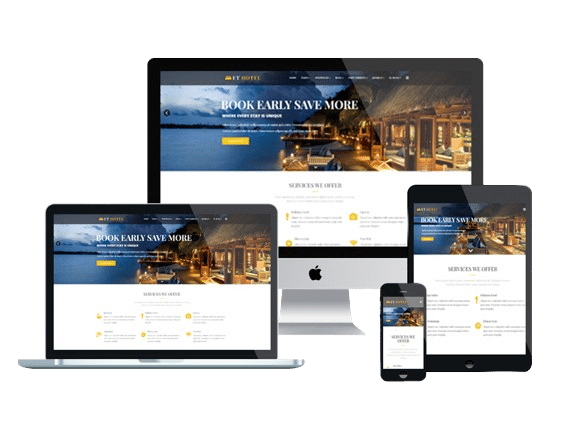
Build websites visually using WYSIWYG page builders and e-commerce platforms available in cPanel. EZ Host Pro shared hosting supports Weebly, Joomla, SiteJet, Drupal, PrestaShop, osCommerce, and more.
Grab your domain name now!
At EZ Host Pro, our Regular Shared Hosting plans are an excellent choice for users who want to build websites using WYSIWYG (What You See Is What You Get) page builders and e-commerce platforms available directly inside cPanel.
These tools allow you to design, manage, and launch websites visually—without complex coding—while still offering flexibility for advanced users and developers.
Our hosting environment is optimized for stability, performance, and compatibility with a wide range of website builders, making it easy to create everything from simple business sites to full online stores.
We may be a smaller hosting company than GoDaddy, HostGator and BlueHost, but we are committed to provide the best service and technology to our clients.

We use Cloud Linux for making the server secure and stable. It improves the server stability by encapsulating each client in a secure, isolated environment.

Web Hosting with LiteSpeed Web Server experience creates a captive audience of satisfied users and higher search engine rankings. Our Web Hosting blended with LiteSpeed web server, PHP 7.4 for better Speed.

We have chat and ticket system available. If not online, our support will respond to your ticket within 24 hours or less. We may be a small website hosting services, but we aim to please our clients.

Grab the solution that's fast, secure and awesomely easy. Hit the ground running with WordPress installed on your hosting account.

When we build a website for our clients, we make sure that the mobile versions of your website are responsive and support retina support.

We use Enterprise SSD Storage for high performance. SSDs provide for a 1000x increase in input/output operations as compared to regular drives.
WYSIWYG page builders let you design websites visually using drag-and-drop tools and real-time previews. Regular Shared Hosting is ideal for these builders because it provides the performance and reliability, they need without unnecessary complexity.
Popular WYSIWYG builders supported include:
Our Regular Shared Hosting plans are well-suited for both WYSIWYG and e-commerce builders because they provide:
Whether you’re building a visual website, a content-driven platform, or an online store, our shared hosting delivers the performance, compatibility, and reliability these builders require.
EZ Host Pro’s Regular Shared Hosting also supports a wide range of e-commerce platforms, making it easy to launch and manage an online store directly from your cPanel.
Popular E-Commerce builders supported include:
With EZ Host Pro, you’re never locked into a single website platform or forced to use tools you don’t want. Our Regular Shared Hosting is built for flexibility, allowing you to choose from a wide range of WYSIWYG page builders and e-commerce platforms available directly inside your hosting control panel.
Whether you’re creating a simple business website, a content-rich platform, or a full online store, you have the freedom to select the builder that best fits your goals, skill level, and budget.
As your website grows, your hosting can grow with it—without unnecessary limitations, surprise costs, or platform restrictions—making Regular Shared Hosting a smart, affordable foundation for long-term success.
Real Google reviews from real customers who trust EZ Host Pro for fast, reliable hosting and dependable support.
EXCELLENT Based on 3 reviews Posted on jandean1966Trustindex verifies that the original source of the review is Google. excellent company to deal with!! highly recommend their services!!! they built their website & provide hosting for my website. contact them for all your needs!!!Posted on Blaise FeliceTrustindex verifies that the original source of the review is Google. Julie has done exquisite work over the years and done over a dozen sites for mePosted on Tom FeliceTrustindex verifies that the original source of the review is Google. Excellent design, timely delivery honest and with integrity that's been received from them. When your relationship is virtual you hope that's what you get, and I hit the lotto with them.Verified by TrustindexTrustindex verified badge is the Universal Symbol of Trust. Only the greatest companies can get the verified badge who has a review score above 4.5, based on customer reviews over the past 12 months. Read more
A website page builder is a visual tool that lets you design and build web pages using drag-and-drop elements without needing to write code. These tools show you a live preview of your site as you build it, making them perfect for beginners and those who want fast results.
No — most page builders are designed so you don’t need coding knowledge. You simply drag elements like text blocks, images, buttons, and forms onto your page and customize them visually.
EZ Host Pro supports a variety of WYSIWYG page builders that work directly in your hosting control panel. This includes tools like Weebly, Joomla, SiteJet AI, Microweber, and more — so you can choose the one that fits your skill level and site goals.
Yes — many builders supported here include ecommerce features or integrate with ecommerce platforms so you can sell products, manage inventory, and accept payments online.
Page builders can be SEO-friendly, but it depends on how your site is structured and optimized. Some builders include built-in SEO tools (like meta titles, meta descriptions, sitemaps, and clean URLs). Always check your builder’s SEO features to ensure your content is discoverable.
A page builder is a visual editor focused on designing pages without code. A CMS (Content Management System) like WordPress is a more comprehensive platform that manages content, themes, plugins, user roles, and more. WordPress itself often uses page builders too.
Yes — but it’s important to note that switching builders may require some redesign work because each builder stores layout and styling differently. Always back up your site before switching. (Best practice guidance)
Some page builders can add extra code that may affect load times if not optimized. Always choose a builder with lightweight output and good performance — and pair it with fast hosting to keep your site running smoothly. If you choose to go with Elementor the "Hello" and "Hello Biz" are wonderful to use because they are very light weight.
Yes — many builders support blogs, news sections, and dynamic pages, but features vary by platform. Check your builder’s documentation to see what types of content it supports.
Most modern page builders automatically generate mobile-responsive layouts, so your website adjusts to phones and tablets. Always preview your site in different screen sizes before publishing.
Yes — while page builders make sites easy to build, they sometimes offer less design flexibility and proprietary formatting compared to fully custom sites. For large, highly complex sites, a developer workflow might be preferred.
Website builders are available through cPanel and Softaculous when your domain is connected to one of our hosting plans. They can be activated with just a few clicks.
Guide to selecting the right Builder
Weebly is a website builder that offers many different styles, designs, functions, and flexibility, allowing users to create a dynamic and unique website regardless of prior knowledge or experience. This makes Weebly an ideal website builder for novices or people building their first website.
Weebly is a "What You See Is What You Get" (WYSIWYG, pronounced 'wizee-wig') type of editor that allows you to drag and drop items directly onto your web page. This drag and drop feature allows you to customize and structure the content as needed to create the look and feel you want your website to convey.
Weebly also offers various functions through widgets that can be activated with a few simple clicks. These widgets provide features that further enhance your websites like an eCommerce store, online membership that allows users access to certain pages, blogging, etc.
Weebly provides all of its extensions and features within the builder itself, eliminating the need for third-party plugins. However, this does limit you to only the features and extensions that Weebly offers.
One of the advantages of using Weebly is that it doesn't require any coding knowledge. Still, for more advanced users, it does allow you to embed HTML coding into your website if a widget is not readily available.
You can use regular hosting if you are going to use Weebly. There are other Page Builders you can explored them from our Page Builds webpage.
WordPress is a Content Management System (CMS) that powers over 33% of the websites on the web. While thousands of users create exceptional websites with WordPress, there is a slight learning curve. One main drawback with WordPress is keeping up with the maintenance with the WordPress plugins.
Due to the vast number of themes, customizations, and plugins you can use to create a unique website, WordPress can be overwhelming for a beginner. However, with patience and tutorials, you will begin to navigate through the WordPress dashboard with the best of them!
WordPress, unlike Weebly, is an open-source website builder. An open-source builder allows anyone to know how WordPress works to create their own plugins, compose their own themes, or integrate WordPress with third-party technology, to enhance the website and user experience.
This open-source opportunity is what builds a thriving WordPress community. You can find copious themes and plugins available for free, free with paid upgrades, and paid premium ones that you can install on your WordPress site. Instead of needing to know how to code to create advanced functions, you can find a plugin that's already configured.
Just install and configure the plugin to work on your WordPress site.
Having numerous options for plugins and themes does have its downfalls. You never know when a theme or plugin will stop being supported by its developer and break your website. You may install various plugins to make your website amazing, but one wrong plugin may conflict with another and take your website down.
While this is an inconvenience, one of the best advantages of WordPress is if a plugin doesn't work or is out of date, chances are there is another plugin that performs the same function you are looking for and is compatible with other plugins.
WordPress, similar to Weebly, updates its platform constantly to improve performance and ease of use and add more features for its users. To keep the core WordPress files, themes, and plugins up to date, you will have to stay on top of update notifications and install new versions through the WordPress dashboard.
Comparing Weebly and WordPress
Flexibility
Weebly, like WordPress, also offers a decent amount of flexibility when designing your website. However, unlike WordPress, you are limited to using only the building items Weebly provides, which poses limits. While this might sound like a big negative, one of the advantages is that you can be sure that you will not encounter any compatibility issues when using Weebly features.
WordPress offers many features, allowing you to create a complete website each time. This is increased even further by WordPress's new block editor. As previously mentioned, WordPress is open source. You may run into compatibility issues with your plugins and themes, but this is quickly resolved by selecting another plugin or theme to meet your needs.
Ease of use
Weebly is easier to use as it was initially created for users with no prior experience creating a website. Users revere Weebly's drag and drop builder, both beginners and experts alike. The Weebly panel is conveniently split into a Dashboard and a Builder section.
The Dashboard section allows you to manage your website's settings, such as how your blog comments are displayed or your site's visitor stats. The Builder section offers a visual editor to drag and drop images, contact forms, maps, and other helpful building items directly onto the page.
WordPress is a bit more complex and poses a learning curve, especially for users new to building a website, compared to Weebly. However, don't let this deter you, as there are numerous amounts of support documentation and tutorials online for WordPress, HostGator, or countless YouTube videos.
Despite being more complex, WordPress is still fairly straightforward, yet it will require further experience and knowledge to take advantage of its more advanced customization options.
Themes and design layouts
When a Weebly theme is chosen, you can rest assured that it will be compatible with everything else Weebly offers. While this assurance gives a warm, fuzzy feeling, it can leave much to be desired in ways of choice. Each individual has their own vision of what they want their website to look like.
While Weebly can help you build a fantastic website, you will be limited to the themes and customizations with the Weebly builder.
WordPress offers a massive collection of free themes and plugins that can change your website's entire look and functionality. While WordPress is superior in choice, each theme and plugin will need to be downloaded and installed. Some will require a different setup or even HTML coding in order for them to behave the way you anticipated.
Overall experience
Weebly had one goal when making their website builder -- simplifying the website building experience for the everyday user. In this, they have succeeded. Weebly has been the go-to builder for both novices and experts for many years. Weebly's drag and drop method of building a website is prized by many, and several other website builders have tried to mimic Weebly's WYSIWIG approach.
If you are looking for a place to house your modeling photos in a portfolio, a place where you can blog about your travels to Europe, or an online store to display your goods, then Weebly's simplified website building might be for you. WordPress has been used to make some of the most stunning websites on the web today, boasting that over 30% of the websites on the internet are made with WordPress.
At the same time, more complex than other site builders, the freedom and customization options can make the juice worth the squeeze. If you are an experienced web developer or if you design multiple sites at a time for people, then WordPress's expansive collection of customizations will allow you to create a complete website each time.

What You See Is What You Get (WYSIWYG)
WYSIWYG page builders are website design tools that let you create and edit web pages visually, without needing to write code.
WYSIWYG stands for “What You See Is What You Get,” meaning the page you design on the screen looks the same as what visitors see when the site is published.
Instead of editing HTML or CSS, you can drag and drop elements like text, images, buttons, and forms directly onto the page and see changes in real time.
Why WYSIWYG Page Builders Are Used:
* Beginner-friendly – No coding knowledge required
* Real-time editing – See changes instantly as you build
* Faster website creation – Launch pages quickly
* Design flexibility – Easily adjust layouts, colors, and spacing
* Responsive controls – Optimize designs for desktop, tablet, and mobile
Popular WYSIWYG page builders are commonly used with:
* Weebly
* Joomla
* AI SiteJet
* SitePad
* WebsiteBaker
And many more...
Making them ideal for small businesses and non-technical users.
At EZ Host Pro, our hosting fully supports WYSIWYG page builders and provides the performance and stability needed to keep visually built websites fast, secure, and easy to manage.
In short, WYSIWYG page builders make professional website design accessible to everyone—without the complexity of traditional coding.